


102.5 The Bone: Real Raw Radio
3.3901.00 Reviews
App Specs
- Version
- 12.0.91
- Updated On
- License
- Free
- Downloads
- 50,000+
- Developer
- Cox Media Group Inc.
- Categories
- News & Magazines
- Platform
- Android
Screenshots
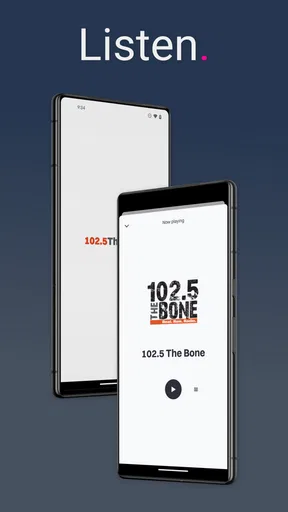
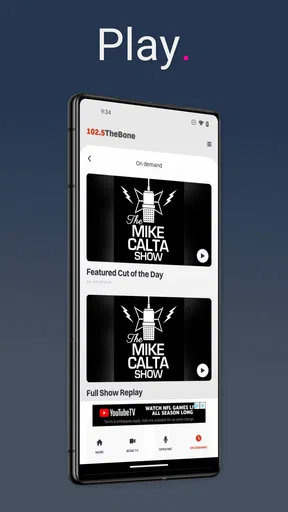
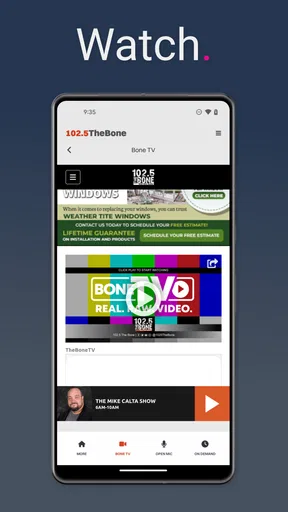
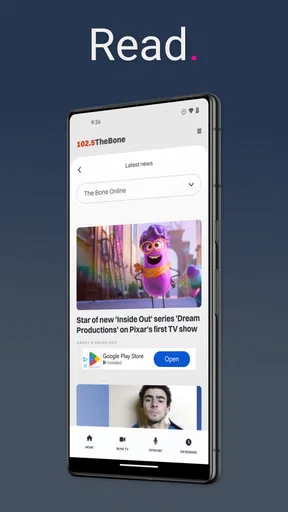
 Analysis by AppCompare
When I want a direct connection to a radio station rather than a broad news feed, I look for an app that gets out of the way and lets the station’s identity lead. That is the appeal of 102.5 The Bone: Real Raw Radio. It is a free News & Magazines app from Cox Media Group Inc., built around the 102.5 The Bone station rather than around a general-purpose collection of headlines or podcasts. After spending time with it, I see it as a focused companion for listeners who already enjoy the station’s personality and want a convenient mobile route to it.
The app’s store summary, “Real. Raw. Radio.”, sets the tone without pretending to be something broader. This is not the kind of application I would install for a complete daily news briefing, a large podcast library, or a replacement for every audio service on my phone. Its value is narrower and more personal: it keeps a particular radio brand close at hand. That focus is both its strongest quality and the main reason some people will find it too limited.
How 102.5 The Bone fits into everyday listening
In practical use, I think of this app as a station shortcut. Instead of opening a browser, searching for the station, and dealing with a page designed for several kinds of content, I can go straight to the station’s mobile presence. That matters most when I already know what I want to hear. The experience feels more purposeful than opening a general radio directory and hunting through a long list of unrelated stations.
A realistic example is a weekday morning commute. I might start with music or a general audio app, then decide I want the familiar talk and attitude associated with The Bone. A dedicated station app reduces that decision to one tap. It is also useful around the house, in a workshop, or while preparing dinner, when I want live radio in the background without choosing individual tracks or building a playlist.
That convenience depends on having a stable connection and being comfortable with radio’s schedule. Unlike an on-demand service, a station app does not give me complete control over what plays next. If I join in the middle of a discussion, I may have missed the beginning. If a segment is not interesting to me, skipping ahead is not the same as moving to another song in a personal library. I consider that an important trade-off rather than a flaw unique to this app.
The app is aimed at a Teen audience, which is worth keeping in mind for families. I would not treat it as a children’s audio app or assume that every broadcast moment will suit younger listeners. The station’s identity is central to the experience, and anyone deciding whether to share it with a teenager should consider the tone of the live programming as well as the device’s own content controls.
A focused alternative to general radio apps
Compared with a general radio directory, this app has a simpler purpose. A directory is better when I want to explore stations from different cities, compare formats, or discover something completely new. The Bone app makes more sense when discovery is not the goal. I am choosing it because I want this station, not because I want to browse hundreds of possibilities.
Worth Reading Before You Choose

EA SPORTS FC Mobile 26 Is a Bigger Football Game, but It Takes Time

Flipboard Shows What News Apps Must Do Beyond the Feed

Switching to Android Auto Means Rethinking Your Driving Routine

Google Calendar Makes a Crowded Week Easier to Manage

Ludo King Makes the Most of the Minutes Between Plans

Baby Panda World Brings Quick Play to Modern Phones, but Its Game Library Feels Busy
It also differs from music streaming services. Streaming platforms are stronger when I want an exact artist, album, mood, or playlist, and they usually make personal control the center of the experience. This station app offers the opposite kind of listening: a programmed stream with a recognizable local-radio character. For me, that can feel more spontaneous, but it also means accepting the station’s timing and content choices.
News apps are another imperfect comparison. A typical news app lets me scan stories, save articles, and move through topics at my own pace. This one belongs in the News & Magazines category, but I would not use it as my only source for written reporting. Its strength is the station’s audio identity, not a broad, searchable news archive. Someone looking for headlines, explainers, or international coverage should choose a dedicated news reader instead.
What the current release tells me
The current version is 12.0.91, and the app has been available since May 27, 2014. That long presence suggests an established station companion rather than a short-lived experiment. I find that useful context because radio apps need to remain practical over time: the important question is not whether the interface feels like a novelty, but whether it still gives regular listeners a dependable path to the station.
I would not read the version number as proof that every part of the experience has been redesigned recently. A version label can reflect maintenance, platform compatibility, or incremental work as well as visible changes. What I can say is that the app is still presented as an active product, and its current release gives Android users a contemporary entry point to the station. I prefer that cautious interpretation over assuming a major overhaul that the app itself does not clearly establish.
The minimum operating-system requirement is Android 8.0. For anyone using a reasonably modern Android phone, that should make installation straightforward. Owners of much older devices need to check compatibility before planning around it. This is one of those small details that can save frustration: a free app is not automatically available on every Android handset, especially when the operating system is several generations behind.
The developer, Cox Media Group Inc., gives the app a clear connection to a larger radio organization. That matters to me because a station-specific application needs an identifiable owner behind its ongoing availability. It does not guarantee that every update will solve every annoyance, but it makes the product feel like part of a real broadcast operation rather than an unofficial fan-made player.
How the app feels for returning listeners
Existing listeners are likely to benefit most from familiarity. If I already know the station’s sound and want it available on my phone, I do not need to learn a complicated content system. The app’s narrow purpose can make it easier to build into a routine: open it when I leave home, keep it ready during a work session, or use it when I want radio without searching again.
That routine also reveals an important limitation. A station app is only as useful as the station’s current programming for my mood and schedule. If I want a quiet soundtrack, a specific song, or a way to replay every segment I missed, the app may not satisfy me. I would switch to an on-demand audio service in those situations. The Bone is more appropriate when I value live flow and station personality over precise control.
The app has an average rating of 3.3 from around 1.9 thousand ratings, with around 901 written reviews. I read that as a mixed reception rather than a reason to dismiss it. Station apps often divide people because expectations differ: loyal listeners may want a simple stream, while others expect a polished all-in-one media platform. A middling average can reflect those different expectations as much as the basic idea of the app.
Its install base is over 50 thousand, which fits the picture of a targeted station application rather than a mass-market audio service. I would not use that scale as a measure of broadcast quality. Instead, it tells me that the app serves a defined audience. If I am already part of that audience, a focused user base is not a disadvantage; if I am unfamiliar with the station, the app offers less reason to install it than a broader radio product would.
Small workflow choices that make a difference
My first practical tip is to treat the app as a deliberate listening tool, not as a replacement for every audio app. I would place it where I can reach it quickly during the part of the day when live radio is most useful. That avoids the common mistake of judging it against a music service in situations where the two products are designed for different habits.
Second, I would test it before relying on it for a time-sensitive routine. A commute, exercise session, or work shift is a poor moment to discover that the station format is not what I expected or that my connection is unreliable. A short trial at home lets me decide whether the station’s pace and personality fit my day. This is especially helpful for people who normally listen to carefully selected playlists.
Third, I would keep a backup audio option available. Live radio has an element of unpredictability, and a station-specific app cannot offer the same fallback choices as a directory or streaming platform. Having another app ready is not an indictment of The Bone; it is simply sensible planning when one application represents one station and one programming identity.
A less obvious trade-off is attention. Live talk radio can be enjoyable in the background, but it can also pull me into a conversation when I am trying to concentrate. I would use it differently during paperwork than during a drive or household chore. People who need uninterrupted focus may prefer instrumental audio or downloaded content, while listeners who enjoy commentary and spontaneous transitions may find the live format more engaging than a silent playlist.
Where the experience may fall short
The biggest gap is breadth. I would not install this app expecting a complete news ecosystem, a large catalog of stations, or a personal audio library. Its station-first design means that the app’s usefulness rises and falls with my interest in 102.5 The Bone. That is honest positioning, but it limits its appeal to anyone who wants variety from a single download.
Control is another likely source of friction. Radio is built around a schedule, so listeners cannot assume they will be able to pause their experience in the same way they pause a downloaded program or jump directly to a favorite section. If I need replayable episodes, searchable transcripts, or precise playback controls, I would look for a dedicated podcast or on-demand service instead.
I also would not choose it as my main tool for serious news research. The station may be part of my awareness of current events, but a radio stream is not the same as a structured collection of articles with dates, sources, and topic navigation. For checking several viewpoints or returning to a specific story, a reputable news app is the better companion. The Bone works best as an audio destination, not as a complete information archive.
There is also the question of audience fit. The Teen content rating signals that the app is not positioned as a child-focused product. Adults may appreciate the station’s direct style, while some households may prefer more tightly controlled family listening. I would make that judgment based on the station’s tone and my own listening context rather than assuming that a radio label automatically means the same thing for every age group.
Who should download it, and who should skip it
I would recommend the app to an existing 102.5 The Bone listener who wants a convenient Android companion and does not need a large menu of alternative stations. It is also worth considering for someone who enjoys live radio’s unscripted feel and prefers a station’s personality to the endless choice offered by music platforms. The free price makes trying it low-risk, provided the phone meets the Android requirement.
I would be more cautious about recommending it to a person discovering radio for the first time. A broad radio directory gives a newcomer more ways to compare formats, while a general streaming service offers more control over songs and artists. Someone who wants written news, offline reading, or a carefully organized podcast queue should also look elsewhere. The app is not a poor choice in those cases; it is simply aimed at a different need.
For frequent listeners, the best use is as one part of an audio routine. I might use The Bone when I want live station energy, switch to a podcast when I need a specific topic, and open a music service when I want predictable background sound. That combination respects what each format does well instead of forcing one station app to cover every listening situation.
What I would watch in future updates
Because the app has reached version 12.0.91 after years of availability, I would pay attention to how future releases balance station identity with modern mobile expectations. The most valuable improvements would be the ones that reduce friction without turning the app into an overloaded media portal. Clear access to the live experience should remain the priority.
I would also watch how well the product serves returning listeners as phone habits change. Compatibility with newer Android versions, a dependable launch experience, and sensible handling of interruptions matter more to me than decorative redesigns. A station app earns its place on my phone by being easy to start when I want it and unobtrusive when I do not.
Another useful direction would be better support for people who enjoy the station but cannot listen continuously. Any clearly presented way to reconnect with missed material would make the app more flexible, though I would not assume that such a feature exists today. The important distinction is between what the current app provides as a station companion and what I might reasonably hope to see developed later.
My final view is positive but deliberately narrow. This is a focused radio app, not an all-purpose media replacement. I like it most when I already want 102.5 The Bone and need a straightforward mobile way to listen. The free access, established release history, and station-specific purpose make it easy to try, while the mixed rating and limited scope remind me to keep expectations realistic. If live radio’s personality is what I am looking for, it can earn a regular place in my routine; if I want control, variety, or detailed written news, another category of app will serve me better.
Pros
- Live access to uncensored rock and talk radio
- Simple interface makes stations easy to browse
- Includes entertaining shows beyond regular music blocks
- Useful for discovering new rock artists and tracks
- Radio format works well for background listening
Cons
- Content may include strong language and adult themes
- Streaming can use significant mobile data over time
- Playback depends on a stable internet connection
- Limited control compared with on-demand music services
- Some shows may not appeal to listeners outside the target region
FAQs for 102.5 The Bone: Real Raw Radio
What is 102.5 The Bone: Real Raw Radio?
102.5 The Bone: Real Raw Radio is the official mobile app for the Tampa Bay radio station known for comedy, talk shows, entertainment, and alternative rock programming. After exploring the app, its main purpose is clear: it gives listeners a convenient way to stream the station, check current programming, and stay connected with on-air personalities and station content from an Android or iOS device.
Can I listen to 102.5 The Bone live through the app?
Yes, the app is designed to provide access to the station’s live broadcast, making it possible to listen to 102.5 The Bone while using a smartphone or tablet. A stable Wi-Fi or mobile data connection is recommended for smoother playback. Availability of the stream may occasionally depend on location, licensing restrictions, station maintenance, or temporary technical problems.
Does the 102.5 The Bone app offer podcasts or on-demand content?
The app may include access to podcasts, show segments, interviews, clips, or other on-demand material connected with 102.5 The Bone. The exact selection can change as the station updates its programming and publishes new episodes. Users should remember that some content may be available only for streaming and that older shows or segments may not remain accessible permanently.
Is the 102.5 The Bone app free to download and use?
The application is generally available to download without an upfront purchase, allowing users to explore its radio and station features at no initial cost. However, listening to live audio or streaming media can consume mobile data, especially over cellular networks. The app may also contain advertising or links to external station promotions, so users should review the store listing for current details.
What should I check before downloading 102.5 The Bone: Real Raw Radio?
Before downloading, check that your Android or iOS device meets the app’s current operating-system requirements and has enough free storage. It is also worth reviewing the latest store description, privacy information, permissions, and user feedback. Because the app relies on internet connectivity, listeners should expect possible buffering in weak-signal areas and should use Wi-Fi when trying to reduce mobile-data usage.


